How To Read the DOE WindExchange Map for Your Address (2026)
The DOE WindExchange map shows wind speed at your home—but only if you decode hub height, filter layers, and match your turbine class. Here's the exact process.
Share this article
windturbinehome.com/s/275456
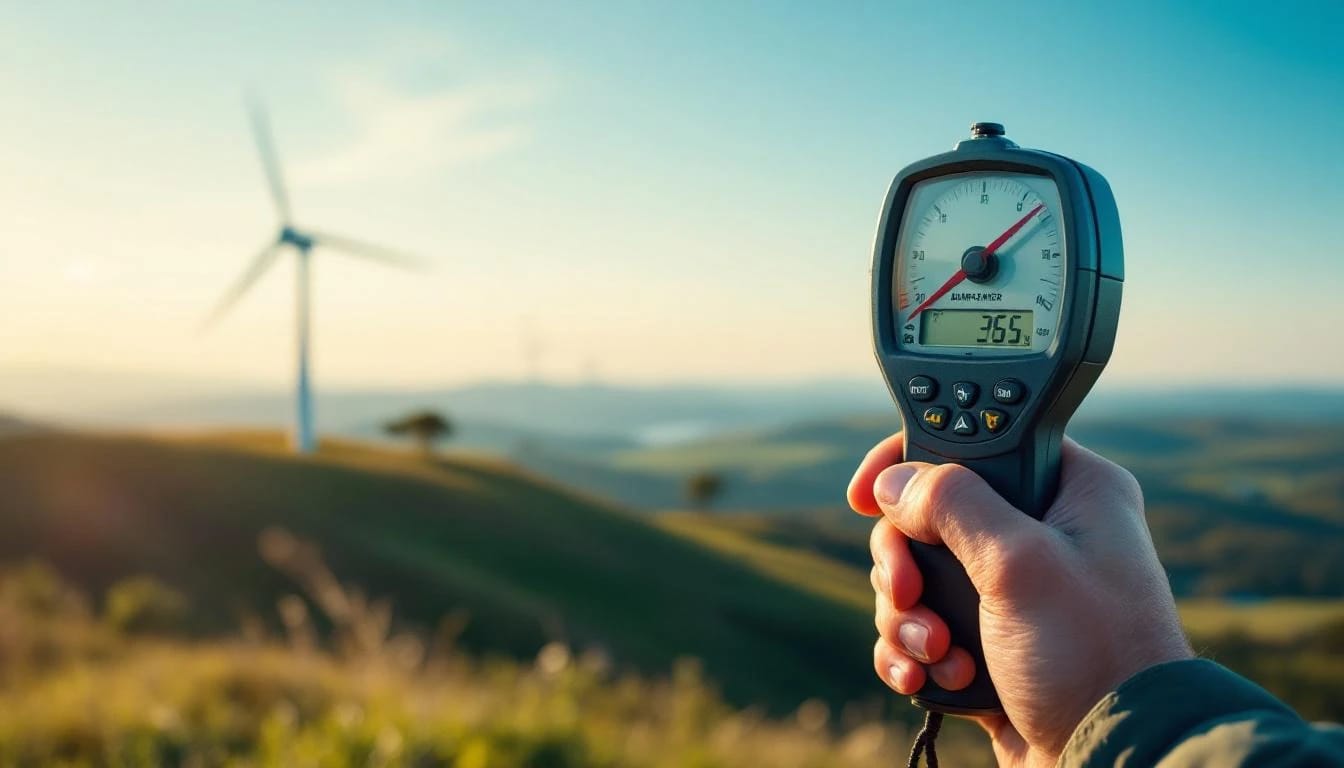
The U.S. Department of Energy's WindExchange resource map is free, government-sourced wind data that tells you whether your property has enough wind to justify a turbine. For residential installations, start with the 30-meter residential wind speed map, which estimates average annual wind speeds at the typical hub height for small turbines (15–40 meters). Areas showing 4 m/s (8.9 mph) or higher merit further investigation with on-site measurement, while zones below 3.5 m/s rarely support economic power generation. The color bands, filter tools, and overlay features decode what matters before spending a dollar on equipment.
Why WindExchange matters for small turbine buyers
Wind resource assessment begins with broad geographic data, and WindExchange provides more than 300 maps covering every county in the United States. Unlike vendor marketing that cherry-picks favorable sites, these maps apply consistent meteorological modeling across urban, suburban, and rural landscapes. The data comes from NREL's Wind Integration National Dataset Toolkit, blending surface weather stations, atmospheric soundings, and reanalysis models into raster grids at 200-meter horizontal resolution.
For a homeowner or small business owner, this means an informed starting point. A Bergey Excel 10 rated for 10 kW at 11 m/s needs average wind speeds near or above 5 m/s at hub height to deliver meaningful annual energy. A Primus AIR 40 or Pikasola 400W vertical-axis model survives in lower-wind suburban settings, but output drops sharply below 4 m/s. The map shows if your address falls in the green, yellow, or red zone before you request quotes.
State and local incentives also hinge on resource adequacy. Iowa's property-tax exemption for renewable installations and Oklahoma's zero-emission tax credit both presume a minimum wind class. The DSIRE database (Database of State Incentives for Renewables & Efficiency) cross-references these thresholds, and WindExchange provides the input variable.
Step-by-step: filtering to the 30-meter residential layer
Navigate to windexchange.energy.gov/maps-data and scroll past the introductory carousel. The primary filter sits in the left sidebar labeled "Filter by Hub Height." Click the dropdown and select 30 Meters. This isolates the residential-scale layer, which models wind at the sweet spot for towers under 120 feet—the FAA Part 77 limit where you typically avoid formal aeronautical study.
Next, apply the regional filter. If you live in Texas, choose Texas from the state list; if your installation spans a multi-state ridge (rare for residential but common for rural cooperatives), select Regional > Southwest. The map redraws with county boundaries and a color gradient from dark blue (low resource) through green and yellow to red (high resource).
Hover your cursor over your county. A tooltip displays the estimated average wind speed in meters per second. Convert to miles per hour by multiplying by 2.237. For example, 4.5 m/s equals roughly 10 mph. This is the annual average, meaning calm days and storm gusts average out over twelve months. Small turbines need consistent energy, not occasional spikes.
Click the map to zoom. Some versions include topographic overlays—ridgelines, open plains, and lake shores often show localized speed-ups. A property 300 feet upslope from the county average can gain half a meter per second; a wooded valley can lose a full meter. The map is a first filter, not a substitute for site-specific measurement.
Decoding the color bands and speed classes
WindExchange residential maps use a seven-color scale derived from NREL's wind-resource classification system. Here's how to interpret each band for turbine viability:
| Color | Wind speed (m/s) | Wind speed (mph) | Residential turbine suitability |
|---|---|---|---|
| Dark blue | 0–3 | 0–6.7 | Insufficient for any grid-tied turbine |
| Light blue | 3–4 | 6.7–8.9 | Marginal; only battery-charging micro turbines |
| Green | 4–5 | 8.9–11.2 | Viable for small VAWT (Pikasola, Primus) in low-demand |
| Yellow-green | 5–6 | 11.2–13.4 | Good for Bergey Excel 1, Aeolos-H 3kW, DIY roof mounts |
| Yellow | 6–7 | 13.4–15.7 | Excellent for all residential HAWT models |
| Orange | 7–8 | 15.7–17.9 | Premium resource; consider multiple turbines |
| Red | 8+ | 17.9+ | Rare residential zone; short payback, high annual output |
Most suburban addresses fall in the light-blue or green zones. Rural properties on ridges or coastal plains hit yellow-green to yellow. Red zones cluster in the Great Plains (western Kansas, eastern Wyoming, northern Texas Panhandle), mountain passes (Wyoming's Medicine Bow range, Montana's Rocky Mountain Front), and exposed coastal stretches (Oregon coast, Massachusetts' Cape Cod).
A yellow-green site (5.5 m/s average) paired with a Bergey Excel 10 at 24-meter hub height yields roughly 5,500–7,500 kWh per year under typical Rayleigh distribution assumptions. That covers 40–60 percent of a 12,000 kWh annual household load, enough to justify the $40,000–$55,000 installed cost if paired with the 30 percent federal Investment Tax Credit (IRS Form 5695, IRC §25D) and state incentives.
Cross-referencing with 50-meter and 80-meter layers
While the 30-meter map targets residential, the 50-meter and 80-meter layers show how wind speed increases with height. Wind shear—the rate of speed gain per meter of altitude—varies by terrain roughness. Open farmland exhibits low shear (exponent α ≈ 0.10–0.14), meaning speed gains taper off above 30 meters. Forested or suburban areas show high shear (α ≈ 0.20–0.30), rewarding taller towers.
Toggle to the 50-Meter Community Power Density layer. This older dataset expresses resource in watts per square meter rather than speed, but the color zones correlate. A dark-green 50-meter zone (200–300 W/m²) often corresponds to a yellow-green 30-meter speed zone, confirming that your site benefits from modest height increases.
Switch to the 80-Meter Land-Based Wind Speed layer. If your county jumps from green at 30 meters to yellow at 80 meters, a guyed lattice tower (which can reach 40–45 meters for residential applications) may unlock better economics. Tilt-up Rohn H40 or freestanding Bergey XL.1 towers cost $8,000–$15,000 installed, but the incremental energy yield can justify the expense.
Record the speed at each height. Use the logarithmic wind shear formula to interpolate your planned hub height:
V₂ = V₁ × (H₂ / H₁)^α
Where V₁ is the known speed at height H₁, V₂ is the unknown speed at height H₂, and α is the shear exponent (assume 0.14 for open terrain, 0.20 for suburban). If WindExchange shows 4.8 m/s at 30 meters and you plan a 36-meter tower, expected speed is roughly 5.1 m/s.
Accounting for local obstructions and microclimate
The 200-meter horizontal resolution of WindExchange means a single pixel covers twelve acres. Trees, buildings, and terrain folds within that pixel create speed variations the map cannot resolve. A tower 100 meters downwind of a two-story house loses 1–2 m/s in the wake zone. A ridgetop gains 0.5–1 m/s through topographic acceleration.
Download Google Earth Pro (free desktop version) and overlay a KMZ wind-resource file if available through state energy offices. Drop a placemark at your property coordinates. Measure distances to the nearest mature tree line (minimum 10× tree height for turbine placement) and structures. NEC Article 705 requires accessible disconnects; practical siting adds another 50–100 feet.
Examine the annual wind rose data when available. Some WindExchange state-specific pages link to NREL's wind toolkit, which includes hourly wind direction histograms. If prevailing winds blow from the southwest 60 percent of the year and your property has a southern exposure, a monopole tower clears turbulence better than a roof mount. Primus and Pikasola vertical-axis models tolerate turbulent suburban winds but sacrifice 20–40 percent output compared to clean flow.
Contact your county's planning or GIS department. Some maintain lidar-derived canopy height models that refine the WindExchange elevation data. A 15-meter canopy on your 250-meter elevation property means effective ground level is 265 meters for wind modeling—subtract canopy height from the 30-meter AGL (above ground level) wind speed to get the true resource at your tower base.
Validating WindExchange predictions with on-site measurement
Government models estimate. Site measurements confirm. Order a NRG Systems 40C anemometer kit ($1,200–$1,800) or rent a Nomad portable wind logger ($150/month). Mount the sensor at your planned hub height for a minimum of three months, ideally spanning a full year to capture seasonal cycles. Compare the on-site annual average to the WindExchange prediction.
Installers report that open-plains sites match within ±0.3 m/s. Complex-terrain sites (Appalachian valleys, urban corridors) show deviations of ±1.0 m/s or more. A 5.0 m/s map prediction that measures 4.2 m/s on-site changes project economics dramatically: a Bergey Excel 10 drops from 7,000 kWh/year to 4,500 kWh/year, extending payback from twelve years to nineteen.
Data-logger export to Windographer software (free academic version) for distribution analysis. The Weibull shape parameter k indicates steadiness: k > 2.5 means consistent trade winds, k < 1.8 means gusty, intermittent resource. Residential turbines tolerate k = 1.6–2.2; below that, consider solar PV instead.
Compare measured wind roses to the map's assumed profile. If your logger shows 30 percent calm hours (under 2 m/s) but WindExchange modeled consistent 4 m/s, your property sits in a local wind shadow—tree belts, topographic bowls, or urban heat-island circulation. Adjust expected capacity factor downward by 10–15 percentage points.
Integrating WindExchange data into permitting and incentive applications
Many jurisdictions require wind-resource documentation for conditional-use permits or special exceptions. Print the 30-meter map with your county highlighted, annotate your parcel boundary, and attach the one-page summary to the application. Zoning boards appreciate government-sourced data over installer projections.
For the federal 30 percent Residential Clean Energy Credit (IRC §25D), the IRS does not mandate resource proof, but the credit applies only to systems that "generate electricity for use in your home." A turbine in a 3 m/s zone that produces 200 kWh/year in a 12,000 kWh home raises audit risk. WindExchange screenshots establish good-faith resource adequacy.
State programs vary. California's Self-Generation Incentive Program (SGIP) and New York's NY-Sun both reference NREL wind-class maps. Massachusetts' SMART program requires third-party production estimates, which consultants derive from WindExchange as a baseline, then adjust with site measurements. Colorado's net-metering interconnection application asks for "estimated annual generation," calculated by matching turbine power curves to the map's speed bins.
Check DSIRE for your state. Wisconsin's Focus on Energy rebate ($500/kW up to 20 kW) and Iowa's property-tax exemption both implicitly assume Class 2 wind or better (5.6 m/s at 50 meters). The 30-meter map showing 4.5 m/s translates to roughly 5.2–5.5 m/s at 50 meters, meeting the threshold.
Common misreadings and how to avoid them
Confusing hub height with tower height. A 24-meter hub height turbine requires a 25–26 meter tower (hub sits slightly below the top). The 30-meter map applies to the rotor center, not the tower foundation. Measure AGL from finished grade, not from basement slab.
Ignoring elevation effects. The map models sea-level-corrected wind speeds. A property at 2,000 meters elevation in Colorado sees lower air density, reducing turbine output by 15–20 percent even if wind speed matches the map. Consult the turbine's altitude-derated power curve.
Overestimating capacity factor. A 5 m/s annual average does not mean the turbine runs at 5 m/s constantly. Weibull distribution spreads hours across 0–15 m/s. A Bergey Excel 10 in a 5 m/s site achieves roughly 18–24 percent capacity factor (1,600–2,100 full-power-equivalent hours per year), not the 35 percent theoretical maximum.
Neglecting seasonal variation. Great Plains sites show winter peaks (November–March averages 1.5× summer speeds). Pacific Northwest coastal zones reverse that pattern. The annual-average map smooths these cycles; monthly breakouts (available in the NREL Wind Toolkit) reveal if your load and generation align.
Assuming the map is precise to your backyard. The model is accurate at the county scale, indicative at the parcel scale. Two properties one mile apart can differ by 1 m/s if one sits on an exposed ridge and the other in a valley.
Comparing WindExchange to commercial wind prospecting tools
Several paid services offer higher-resolution data. 3TIER (now part of Vaisala) and AWS Truepower sell 90-meter grid spacing and hourly time-series data for $2,000–$10,000 per site. For a $50,000 residential turbine, that cost is hard to justify when WindExchange plus three months of on-site logging provides 90 percent confidence.
The Global Wind Atlas (globalwindatlas.info) from the Technical University of Denmark covers international sites and includes capacity-factor calculators. It uses similar NREL methods but applies European turbine assumptions. U.S.-based buyers should default to WindExchange for domestic code compliance and incentive alignment.
Some state energy offices publish enhanced layers. Minnesota's wind siting tool adds land-use exclusions (airports, parks, residential setbacks) directly on the map. Pennsylvania's wind resource viewer layers transmission infrastructure and brownfield sites. Check your state energy office website; these tools integrate WindExchange base data with local zoning intelligence.
RETScreen software (free from Natural Resources Canada) imports WindExchange KMZ files and runs financial models with U.S. tax incentives built in. It accepts custom turbine power curves (Bergey, Primus, Aeolos) and calculates levelized cost of energy. For a side-by-side comparison of two properties or two turbine models, it eliminates spreadsheet errors.
Using the map to decide between wind and solar
A 30-meter map showing 3.8–4.2 m/s suggests solar photovoltaic may deliver better return on investment. A 10 kW solar array occupies 600 square feet of roof or ground, costs $20,000–$28,000 after federal credit, and generates 12,000–15,000 kWh/year in most U.S. climates. A 10 kW wind turbine in a 4 m/s site produces 4,000–6,000 kWh/year, costs $40,000–$55,000 installed, and requires ongoing tower maintenance.
Wind shines in high-resource zones (yellow or orange on the map) where winter generation peaks during heating season. Northern Plains and Rocky Mountain sites with 6+ m/s averages see wind capacity factors near 30 percent, competitive with solar. Combine both: a 5 kW solar array with a Bergey Excel 1 (1 kW wind) leverages summer sun and winter wind, smoothing monthly generation.
Run the numbers. If WindExchange shows 5.5 m/s at 30 meters, a Bergey Excel 10 yields roughly 6,500 kWh/year. At $0.14/kWh retail electric rate, that's $910 annual value. Federal credit cuts installed cost to $35,000; simple payback is 38 years. Add a $0.05/kWh state production incentive, and payback drops to 18 years—still long, but closer to the 20-year turbine design life.
What does "30 meters above ground" mean on WindExchange maps?
The wind speed shown is modeled at 30 meters (98 feet) vertical distance from the ground surface—the typical hub height for small residential turbines like the Bergey Excel 1 or Primus AIR 40. If your turbine mounts at a different height, apply the logarithmic wind shear formula (α ≈ 0.14–0.20) to adjust the estimate. Always measure from finished grade, not from a rooftop or hillside base.
Can I trust the map for urban or suburban sites?
WindExchange uses 200-meter grid cells, so it averages wind over twelve acres. Urban microclimates—buildings, trees, heat islands—create variations the model cannot resolve. Treat the map as a screening tool: green or better warrants on-site measurement with a data logger; blue zones rarely justify turbines. Vertical-axis models (Pikasola, Primus) tolerate turbulence better than horizontal-axis, but both lose output in built environments.
How often is WindExchange updated?
NREL releases new wind-resource datasets every 3–5 years as modeling techniques improve and weather-station networks expand. The current 30-meter residential layer uses data through 2020. This lag matters little for residential decisions—average wind speeds change less than 0.2 m/s per decade in most regions—but check the map timestamp on the page footer. For real-time project planning, supplement with recent on-site measurement.
Do I need a licensed electrician to use this data?
The map itself requires no license, but installing a grid-tied wind turbine does. NEC Article 705 governs interconnected power sources, mandating accessible disconnects, proper grounding, and inverter labeling. Hire an electrician familiar with distributed generation; typical cost is $2,000–$4,000 for a 10 kW system. Most jurisdictions require a licensed professional to pull the permit and sign off on final inspection.
What if my county shows two different colors?
County-level color variation reflects terrain diversity—ridges, valleys, lake effects. Zoom the map to your specific parcel or download a higher-resolution state KMZ file. If the boundary splits your property, default to the lower speed zone for conservative financial modeling. On-site measurement at your planned tower location resolves the ambiguity within 90 days.
Bottom line
The DOE WindExchange 30-meter residential map gives you a zero-cost, government-validated starting point for wind turbine decisions. Filter by hub height, identify your county's color zone, and compare the estimated speed (4+ m/s viable, 5+ m/s good, 6+ m/s excellent) to your turbine's power curve. Validate with three months of on-site data logging, cross-check against topographic obstructions, and integrate the findings into permit applications and incentive forms. If your address falls in the green or better, request quotes from installers; if light blue, pivot to solar or a hybrid approach.
Share this article
windturbinehome.com/s/275456
Editorial note: This article was researched and written by a member of the Wind Turbine Home editorial team. AI-assisted tools were used for spell-checking and light grammar review only — all research, analysis, and conclusions are our own. Our editorial policy prohibits sponsored content and paid placements. Read our editorial policy →
Related reading
wind resource assessment
Weibull Distribution for Wind Energy: What k and c Actually Mean
Learn how Weibull k (shape) and c (scale) parameters define your site's wind profile and predict small turbine output. Real examples from 5-10 kW installations included.
wind resource assessment
Wind Shear Formula for Hub Height: Extrapolating Ground Data
Learn the power law wind shear formula to extrapolate 10m ground measurements to your turbine hub height. Includes coefficients, worked examples, and error ranges.
wind resource assessment
Wind Turbine Swept Area: Calculate Rotor Size & Power Output
Swept area determines how much wind energy a turbine can capture. Learn the formula, why rotor diameter matters more than blade count, and how to size a system.
wind resource assessment
How to Measure Wind Speed at Your Property Before You Buy
Learn proven methods to assess wind resources on your property using anemometers, data loggers, and free tools—so you know if a turbine investment makes sense.

wind resource assessment
Do Wind Turbines Work in Low Wind Areas? Performance Analysis
Small wind turbines need minimum 9-10 mph average wind to generate meaningful power. Low-wind sites under 8 mph often produce 30-40% of rated output, making payback periods exceed 25 years.
wind resource assessment
How Much Wind Do You Need for a Home Wind Turbine?
Home wind turbines need average wind speeds of 10+ mph (Class 2) to generate meaningful power. Most residential sites require 9-12 mph sustained winds to justify investment.